

For years, researchers in plasma physics and atomic-scale modelling have relied on Quantemol Electron Collisions (QEC) Software for consistent, accurate results. With the release of QEC 3.0, we’ve kept the exact same reliable calculation engine you depend on, but rebuilt the software around it to save you time.
The goal of QEC 3.0 isn’t to change the underlying physics you rely on, but to eliminate setup friction, taking you from initial geometry to final calculation in fewer steps.
Cut Setup Time with a Unified 3-Step Workflow
To help you get runs configured without jumping through menus, we consolidated the setup workflow from four separate stages down to three logical steps: Molecule Setup, Method Setup, and Cross-Section Setup.
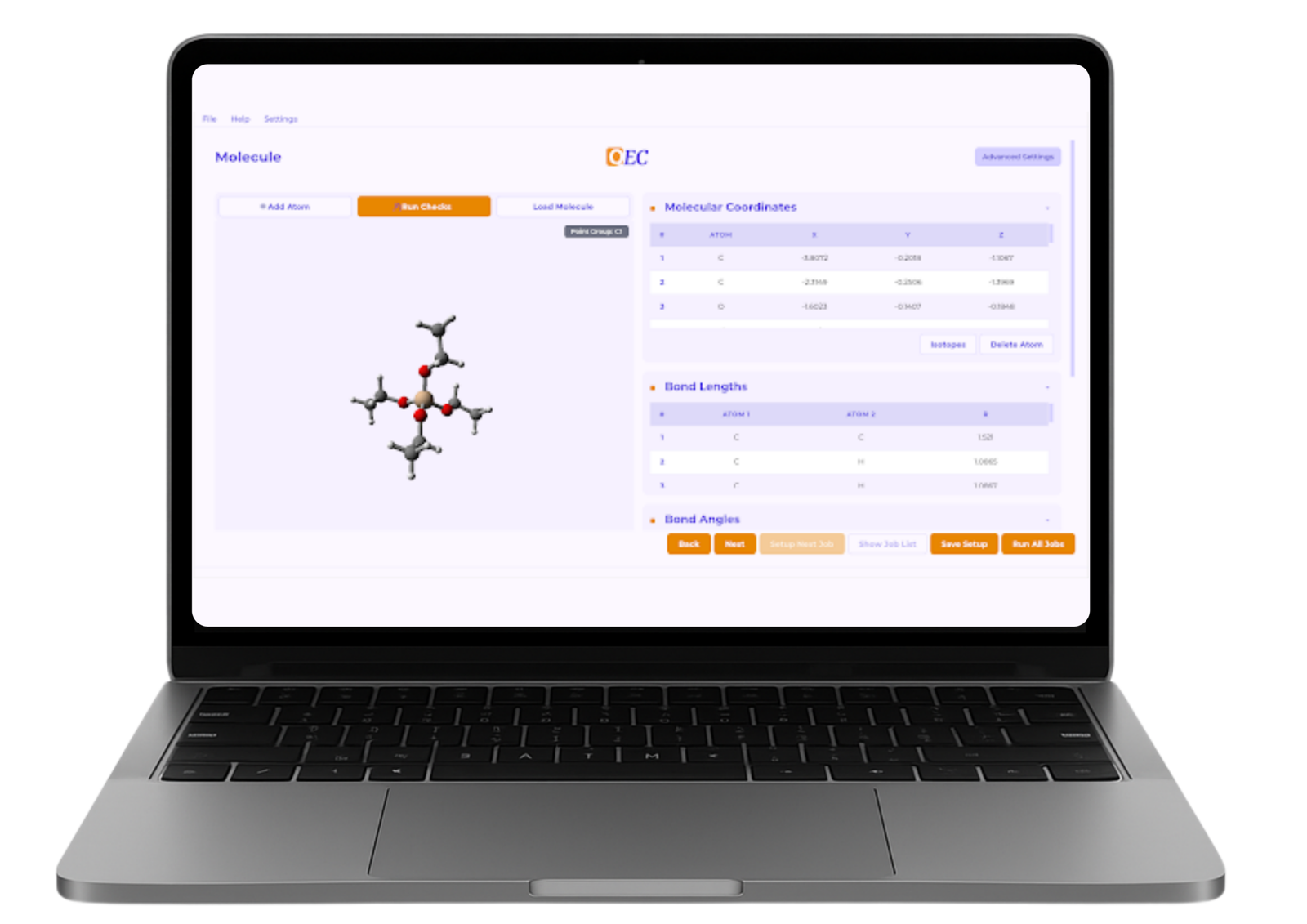
Everything related to your target molecule, including Effective Core Potentials (ECPs), now lives together on the primary page. You can verify your starting parameters in a single view before moving forward, eliminating unnecessary back-and-forth click paths. Required ECPs can now be detected automatically, with instant alerts if an ECP is missing for heavy atoms.
Go from Chemical Formula to Geometry in Seconds
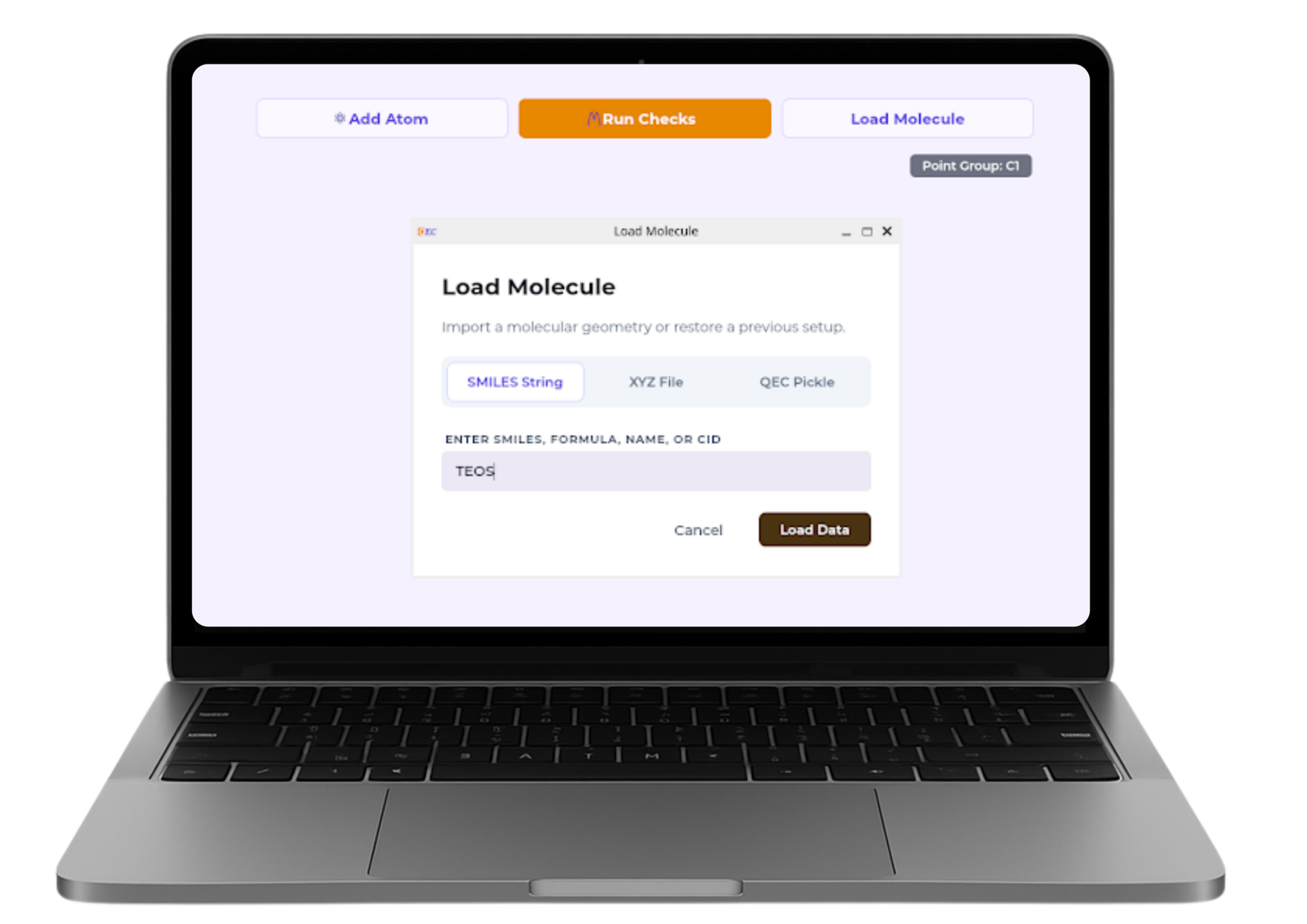
Constructing starting molecular geometries often feels like an administrative hurdle before the real research begins. To eliminate manual coordinate prep, QEC 3.0 introduces an automated Molecule Loader.
Simply enter a SMILES string, a chemical formula, or a common compound name, and QEC automatically fetches the starting structure via PubChem. You get a viable geometry almost instantly, while retaining full manual control whenever custom tweaks are needed.
Work Without Interruptions Using Decoupled Navigation
Checking settings shouldn’t pause your train of thought. In earlier versions, switching pages triggered background calculations that could temporarily halt your work.
QEC 3.0 separates page navigation from calculation checks entirely. You can click freely between tabs at your own pace, triggering geometry and symmetry validations via a dedicated Run Checks button only when you are ready. If your project requires precise structural parameters, a new Freeze Geometry toggle lets you lock specific bond lengths or angles during validation while keeping the molecule centered.
Fewer Clicks, Clearer Choices, and Better Stability
Every interface tweak in 3.0 was designed to reduce cognitive load during routine setup:
- Instant Visual Clarity: Nested drop-down menus have been replaced with single-click option buttons so you can review your setup at a glance.
- Automated Setup Assistance: Smart default checkboxes pre-fill standard parameters, while embedded tips on the Cross-Section page offer practical guidance on settings that maximise calculation stability.
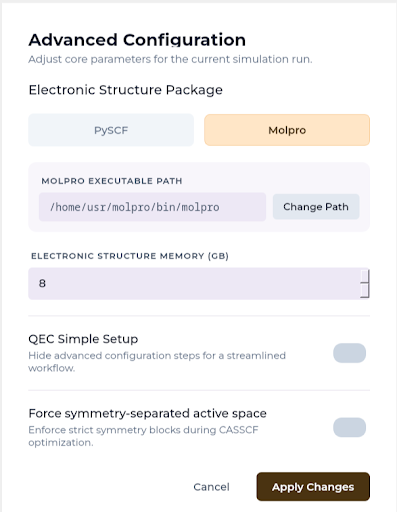
- Set-and-Forget Global Parameters: Global options, like toggling between Molpro and PySCF backends, are stored in a single Advanced Settings panel that you configure once.
QEC 3.0 builds directly upon the solid foundation of our previous releases, turning routine setup into a faster, more transparent process so you can stay focused on the science.
Experience QEC 3.0 Today
Ready to simplify your calculation workflows? Request a Demo or reach out to our team today to test QEC 3.0 on your current projects.
By Annie Laver, Dr Ryan Brook, & Dr Greg Armstrong

Annie Laver
MARKETING & EVENTS MANAGER

Dr Greg Armstrong
PRINCIPAL COMPUTATIONAL MOLECULAR PHYSICIST

Dr Ryan Brook
SCIENTIFIC SOFTWARE DEVELOPER